TV Not Turning On: Standby Light, Power Board and Safe Checks
A TV not turning on is usually a power problem, not a dead screen. Start with the socket and the remote, then read the standby light: steady, off and blinking each point to a different fault. If the light still blinks after a reset, the power board is the usual suspect and a technician should take it from there.
If you’d rather have someone look at it today, our TV repair service in Dubai sends a technician to your door, with a fixed quote before work starts. Call +971 54 309 2041 or send us a WhatsApp message. Searching for “TV repair near me”? We cover all of Dubai and are open 24 hours, 7 days a week.
Safety note: Every check below happens outside the TV. Never open the back panel. The power board inside carries high voltage, and that is work for a technician only.
What Does the Standby Light Tell You When Your TV Is Not Turning On?
The small standby light shows whether the TV is getting power. A steady light means power is arriving and the TV is waiting. No light means no power is reaching it, or the TV is on with a black screen. A blinking light points to a fault the TV has detected itself.
Samsung’s own support pages describe these three states in the same way, and the logic holds for most brands. The table shows where to start.
| Standby light | What it usually means | First move |
|---|---|---|
| Steady (on) | The TV has power and is in standby | Try the TV’s own power button. If it works, the remote is the problem |
| Off | No power is reaching the TV, or it is on with a black screen | Check the cord and socket, then plug into a socket you know works |
| Blinking | The TV has detected a possible fault | Unplug for 30 seconds, then plug into a wall socket without a surge protector |
Key point: A steady light with a TV that ignores both the remote and the power button points past the socket and the remote. At that stage, stop pressing buttons and book an inspection.
Some models flash a set number of times. What the count means depends on the brand and model, so note the number and tell the technician.
Which Safe Checks Should You Try Before Calling?
Do these in order, because the easiest fixes come first. You need a few minutes, a lamp or phone charger to test the socket, and the TV’s model label if you want a quick estimate afterwards.
- Check the cord and the socket. Push the plug in firmly at both ends. Plug a lamp into the same socket to see if it works.
- Look at the remote. Replace the batteries. Then press the power button on the TV itself. If the TV wakes up, the remote was the problem, not the TV.
- Take out the surge protector. Plug the TV straight into a wall socket. Samsung’s guidance notes that a worn surge protector can stop supplying the right voltage.
- Do a 30-second power reset. Unplug the TV, wait 30 seconds, then plug it back in. If your Samsung has a separate One Connect Box, unplug that too.
- Re-seat the cable between the box and the TV. On Samsung models with a One Connect Box, check the thin cable is not pinched or sharply bent.
- Test a different socket. Try one in another room if you can. A steady light after this move means the first socket or its extension was the cause.
If you can’t see the light, hold your phone under the TV to find it. On some Samsung models the LED is easy to miss.
Money-saving tip: Do the remote and socket checks before you book anyone. These are the two causes that cost nothing to fix, and a technician would test them first anyway.
What if the light is steady but nothing happens?
A TV with a steady light that never starts has power reaching it, yet something inside is not completing start-up. A technician needs to test the power board and main board. Safe checks end here. Don’t open the TV, because the boards inside carry high voltage.
Why Does a TV Stay Dead or Keep Blinking?
A TV that will not start usually has a failed power board, a failed main board or a backlight fault. The power board turns mains electricity into the lower voltages the TV needs. When it fails, the standby light often blinks or stays off.
Here is how the common faults line up with what you see.
| What you see | Likely part | Owner-safe? |
|---|---|---|
| No standby light, even on a working socket | Power board, or the cord itself | Cord and socket checks only |
| Standby light blinks after a reset | Power board, or a shorted backlight | Technician only |
| Light steady, TV ignores the power button | Main board or power board, for a technician to confirm | Technician only |
| Sound plays but screen is black | Backlight strips or the backlight supply | Torch test only, see below |
A technician tests the board before swapping anything, because a blown fuse can sit alongside other failed parts.
How do you tell a dead TV from a TV that is on with a black screen?
Switch the room lights off and shine a torch close to the screen. If you can faintly see a picture or menu, the TV is running and the backlight has failed. Sound with no picture points the same way. That is a different repair, covered in our guide to TV sound but no picture and backlight failure.
Why Dubai Makes TV Power Faults More Likely
Dubai’s conditions don’t break TVs on their own, but they add stress to the part that fails most often, the power board. Three causes show up again and again.
- Voltage swings. Demand peaks in the hottest months, and a swing or spike in supply can stress the power board. A TV left plugged in during a storm or a power cut carries the same risk.
- Worn surge protectors. An old extension that has been plugged in for years may no longer protect anything. Samsung’s own guidance says surge protectors can degrade and then fail to supply the correct voltage.
- Heat and dust in tight spaces. A TV pushed into a closed media unit or a small apartment alcove can’t shed heat well. Dust adds a layer of insulation over the vents.
Keep the vents clear and wipe off dust with a dry cloth while the TV is unplugged.
Money-saving tip: Fit a decent surge-protected socket, replace it every few years, and keep the TV plugged straight into the wall while you test a fault. Our warranty does not cover power-surge damage, so protection costs less than a second repair.
When Should You Call a Technician?
Call as soon as the light still blinks after a 30-second reset on a wall socket, or the light stays off on a socket you know works. Also call if the TV has power but ignores the power button. Opening the TV, testing boards or touching internal wiring is technician-only work.
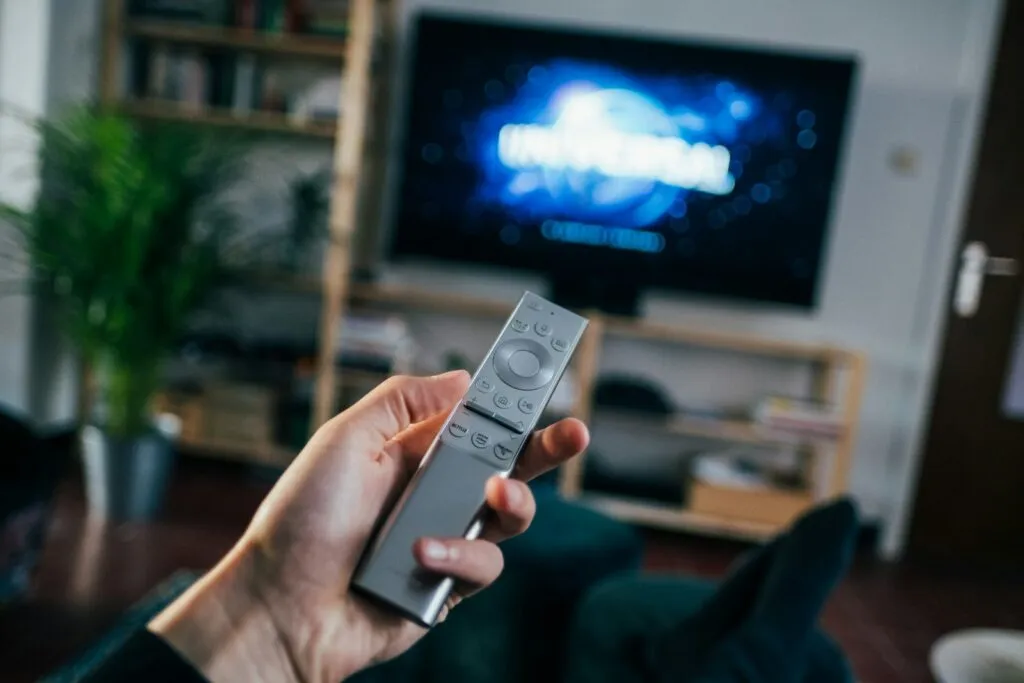
Call or WhatsApp straight away if you notice any of these:
- A burning smell, smoke or a crackle from the TV.
- A TV that powers off by itself after a few seconds, again and again.
- Damage after a power cut, a surge or a lightning storm.
For a burning smell or smoke, unplug at the wall only if it’s safe to reach the plug, and leave the TV off.
Quick priority: If your TV is still under the manufacturer’s warranty, check your invoice and the brand’s warranty terms before booking any independent repair. Al Siraj is an independent repair company and is not an authorised service centre for any brand.
How Al Siraj Fixes a TV That Won’t Turn On
We follow the same four steps on every visit, so you know the price before we touch the TV.
- Book & Get a Quote. Call, WhatsApp or book online. Send a photo of your model label so we can give a quick estimate.
- On-Site Inspection. A technician arrives at your door, on average in under 60 minutes. They check the socket, cord and standby behaviour, then test the boards. A diagnostic fee may apply for the inspection and is usually included in the total if the repair goes ahead.
- Immediate Repair. You get a fixed quote before work starts, with no hidden fees. Most repairs take 30 to 60 minutes after diagnosis. We use genuine parts.
- Warranty & Aftercare. The repair is tested in front of you. It comes with a 12-month written warranty on the invoice covering the fault we repaired.
Al Siraj has served Dubai for 7+ years, with 3,000+ clients and a 95% first-visit fix rate across the appliances we repair. We repair Samsung, LG, Bosch, Siemens, Whirlpool, Haier and 50+ brands. See the full list on our brands we repair page.
Unsure if a dead TV is worth repairing? Our guide to whether a TV can be repaired sets out the decision, and our TV screen repair cost guide explains the cost drivers without inventing figures.
Money-saving tip: A board fault and a screen fault are different repairs with different costs. A quote based on your model label helps you see which one you’re facing before you commit.
TV Not Turning On: Frequently Asked Questions
Why is my TV not turning on but the red light is on?
A steady red light means the TV has power and is waiting. First try the power button on the TV itself, because a weak remote or flat batteries cause this often. If the TV still ignores the button, the main board or power board needs testing by a technician.
Why is my TV red light blinking and it won’t start?
A blinking light usually means the TV has detected a fault, often a power board problem. Unplug it for 30 seconds and try a wall socket without a surge protector. If it still blinks, stop and call a technician. Note the number of flashes first.
Why is my Samsung TV not turning on?
Check the red standby light first, since Samsung’s own guidance depends on whether it is on, off or blinking. Then unplug the TV and any One Connect Box for 30 seconds and test a known-working socket. If the light is still off or blinking, book an inspection.
Can I fix a TV that won’t turn on myself?
You can do the outside checks: cord, socket, remote, surge protector and a 30-second reset. Anything inside the TV is technician-only, because the power board carries high voltage. If those checks change nothing, a technician should inspect it rather than you opening the back.
Could a power cut or surge have killed my TV?
It can. A spike or a swing in voltage can damage the power board, and the TV may then stay dark or blink. A technician can test the board and tell you whether it can be repaired. Our warranty doesn’t cover power-surge damage after the repair.
Is it worth repairing a TV that won’t turn on?
It can be, especially when the fault is a board and not the screen. We give a fixed quote before work starts, so you can compare it with the cost of a new TV before deciding. The age and size of the TV matter too, so send a model-label photo for a quick estimate.
Last updated: 9 November 2026
Is your TV dark or blinking right now? Call +971 54 309 2041 or WhatsApp a photo of your model label for a quick estimate, or use online booking. See our TV repair service for how a visit works.
Contact Al Siraj Electronics Repairing
Arab Bank Bldg – Office No SM1-02-710 – Port Saeed – Riggat Al Buteen – Dubai – United Arab Emirates
Phone and WhatsApp: +971 54 309 2041
Open 24 hours, 7 days a week